Designing a more efficient Grocery Shopping Experience
Overview
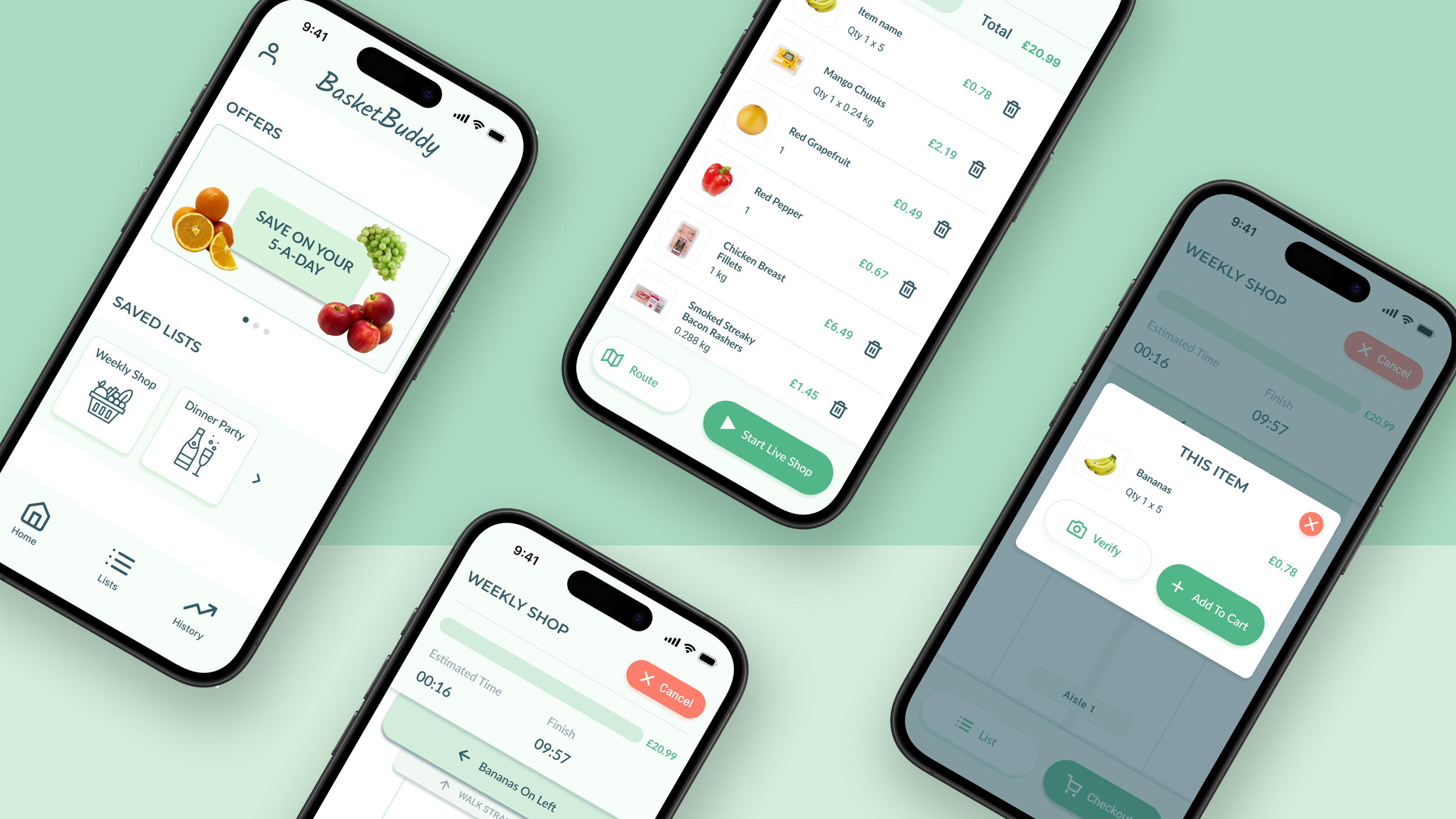
I designed an app to help users locate and purchase shopping list items.
Role UX/Product Designer
Duration 10 weeks
Tools Figma, FigJam
Deliverable Interactive Prototype
Background
This project was completed as part of the Google UX Design Certificate, following a design brief to create a grocery shopping app that helps users navigate stores more efficiently.
Project Brief
Design an app for a local grocery store that helps shoppers locate products as they shop in person.
User Context
To simulate an industry design process, the project provided representative user profiles and scenarios. I synthesised these into personas and journey maps to guide design decisions throughout the project.
Process
01 Understanding Users
Personas
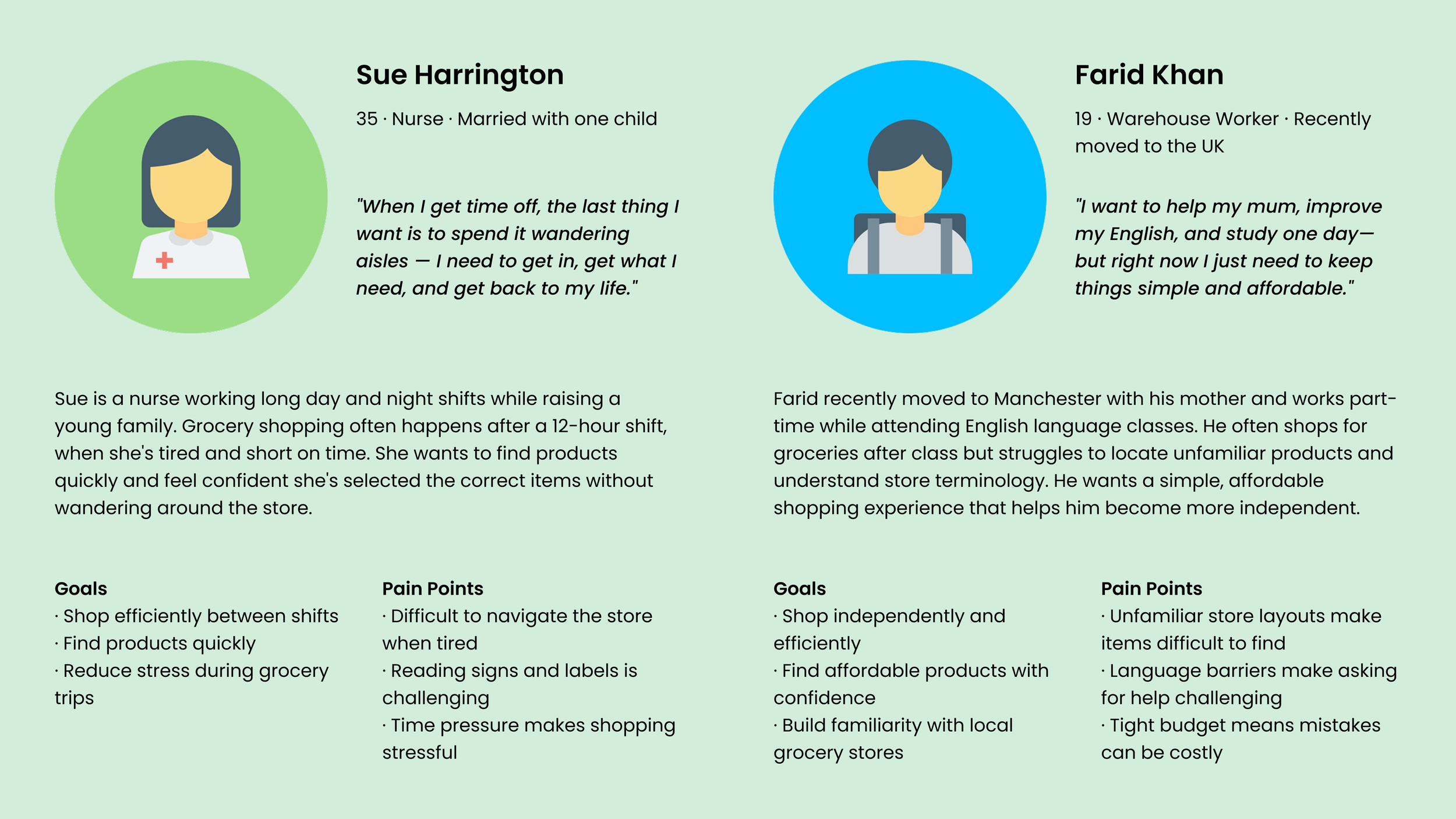
Using the user profiles provided in the project brief, I developed two proto-personas to inform design decisions and prioritise user needs throughout the project.
User Journey
Sue needs to consider food requests from her whole family and ensure she finds everything they need. She is impatient to get everything she needs so it’s important that she can find items easily and efficiently.
Farid needs to make sure he buys everything he and his mum needs whilst sticking to their budget. He is intimidated by nnavigating the store as he struggles with the language and recognising what he needs.

02 Developing the Concept
Design Exploration
After rapid sketching key features (based on ‘how might we?’ questions), I created a range of wireframe concept sketches.
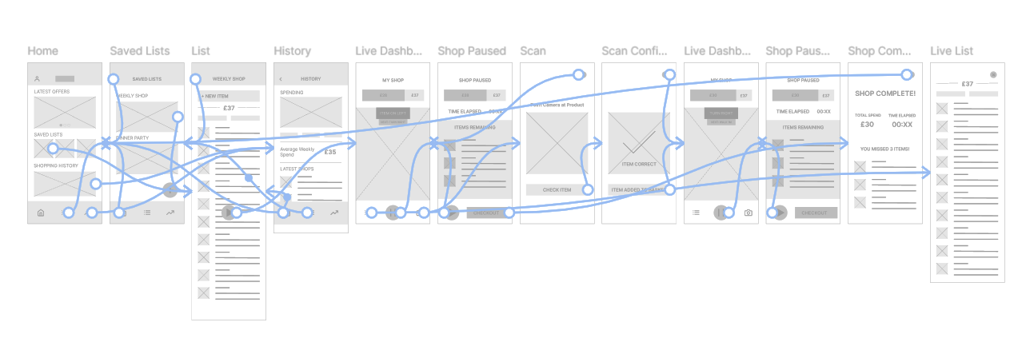
Selected wireframes were combined to create a refined set of wireframes for the complete user flow.
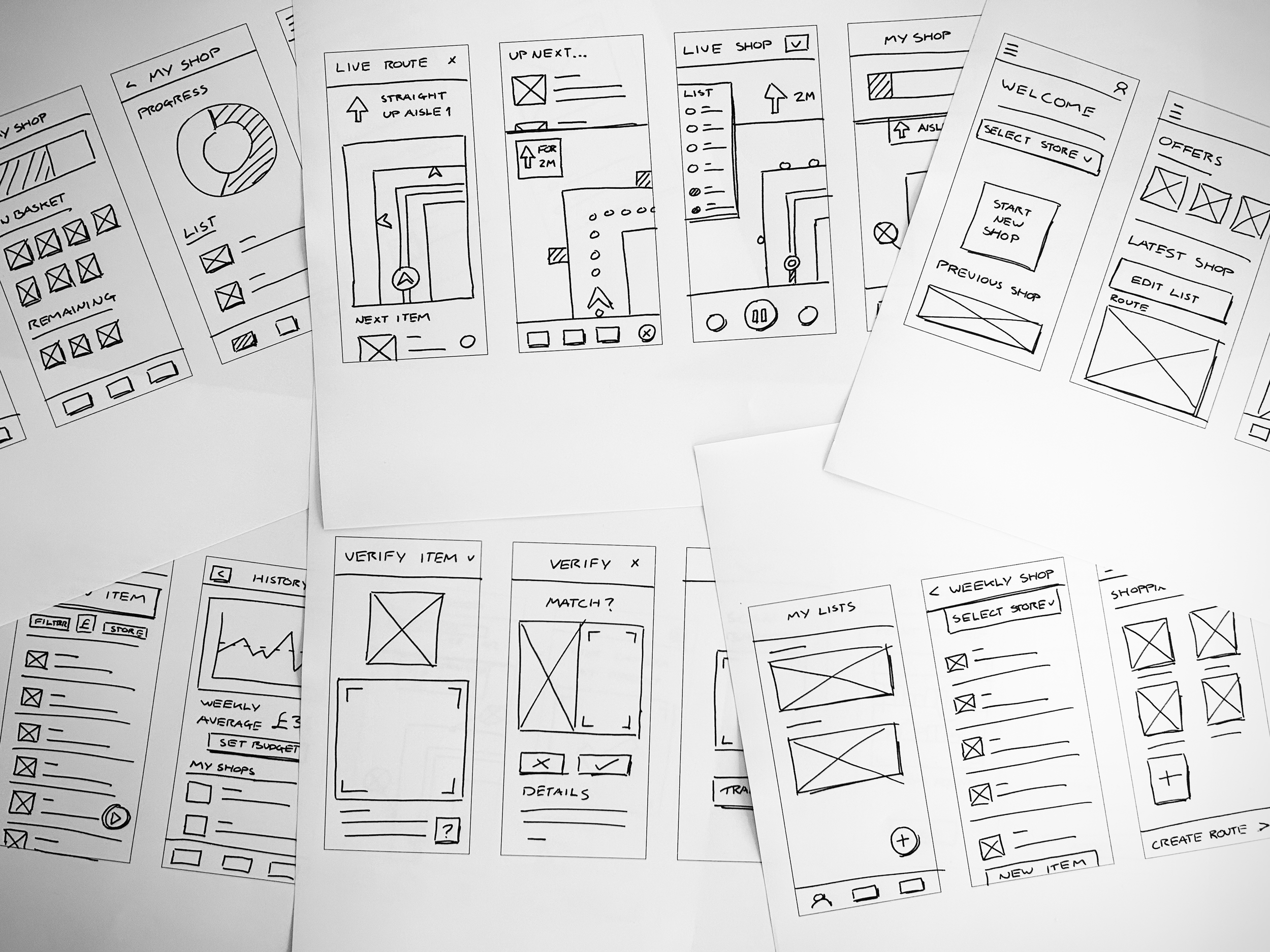
Digital Wireframes & LoFi Prototype
I converted the refined wireframe sketches to digital versions in Figma and added interactive navigation between screens to create a LoFi prototype for user testing.
03 Testing & Iteration
Initial Usability Study
1 Users need better cues that they can tap saved lists on the home screen.
2 The start navigation button should be redesigned to be more intuitive.
2 A button should be included to allow users to exit without checking out.
HiFi Prototype
Taking on feedback from the LoFi prototype usability test, I developed these wireframe screens into a high-fidelity prototype.
Second Usability Study
Findings
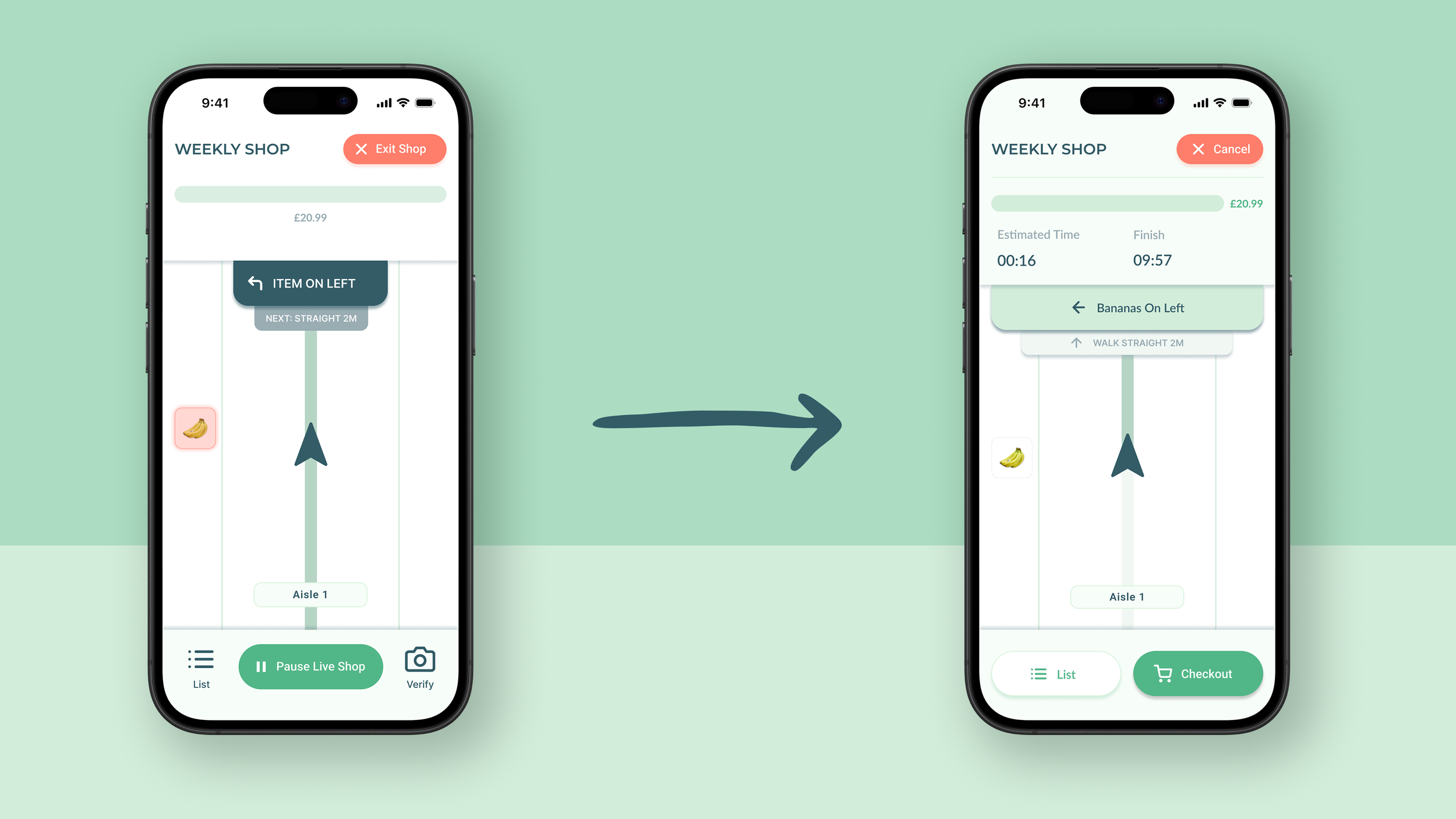
1 The exit and checkout flows should be redesigned to distinguish them.
2 Users need better cues to use verify feature before adding item to basket.
2 Live navigation dash should be redesigned to clearly show what users do and do not need to buy.
Solution
Live Navigation Dashboard
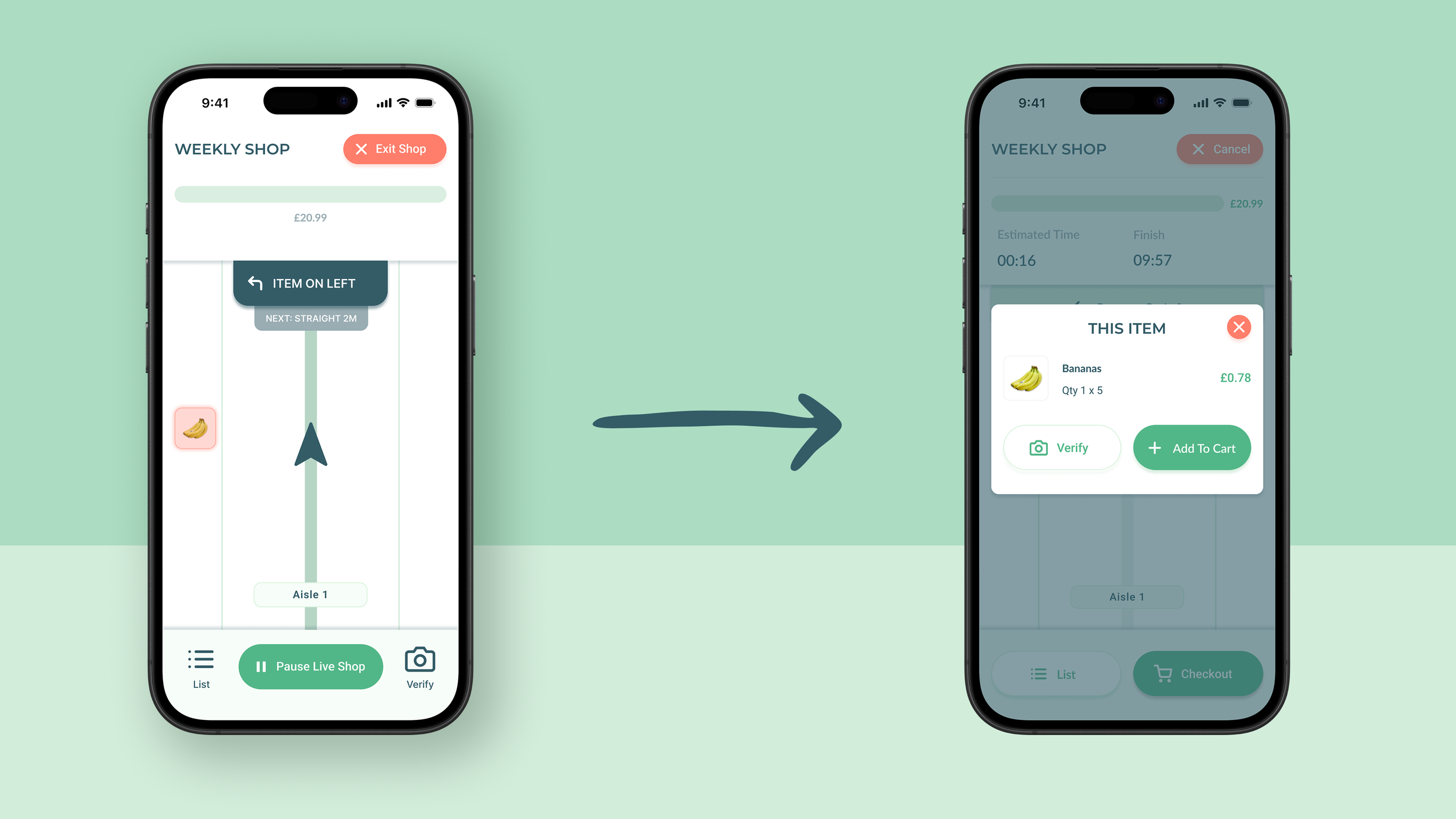
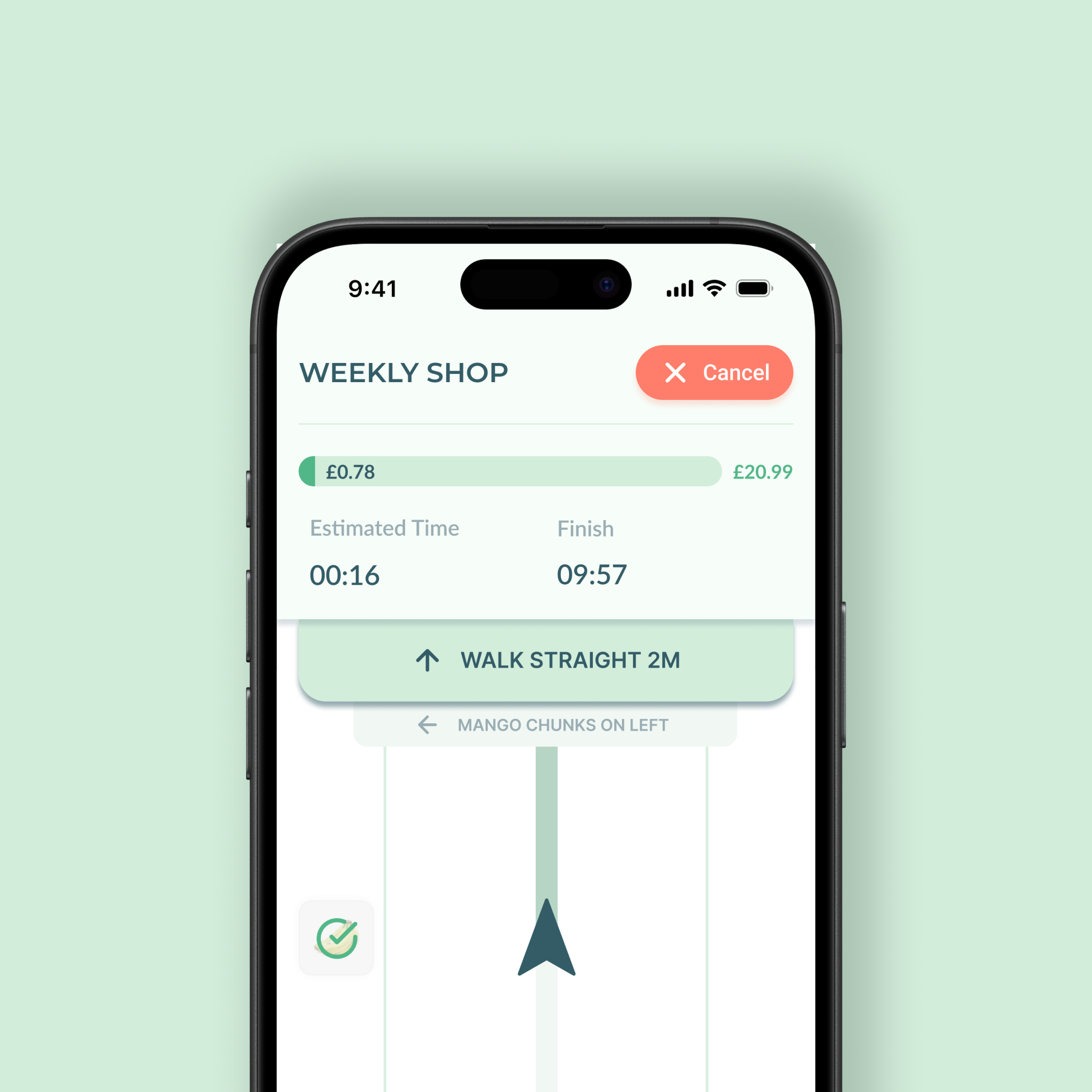
The live navigation dashboard was updated to replace the ‘Pause’ and ‘Exit’ buttons with, more distinct, ‘Checkout’ and ‘Cancel’ button. The live shopping progress bar was expanded to show estimated shop duration.
Verify Feature
The verify feature was moved to be accessed from the item overlay instead of the bottom bar. Placing it in closer proximity to the item information reinforces its purpose and encourages its use before adding the item to cart.